Kickin' It Media Group
Toggle navigation
All posts

Blog category

Business & Finance

June 27, 2025

DIY Brand Tips That Don’t Look DIY

Ever feel like your brand looks a little… homemade? We get it. You’re out here doing everything yourself. Running a business, answering emails, and maybe even designing your own logo at midnight with a free Canva template. But deep down, you want your brand to look sharp, pro, and trustworthy — not like you cobbled it together in a rush. Good news? You can build a polished, professional brand without hiring a big agency or breaking the bank. You just need the right strategy, a little creativity, and a few smart shortcuts. In this blog, we’re breaking down DIY brand tips that don’t look DIY. These are the same tools, techniques, and mindsets we use with our own clients at Kickin’ It Media Group. Whether you’re launching your brand or leveling it up, these ideas will help you show up strong. 1. Know Who You Are (And Who You’re Talking To) Before you create a logo or pick a color, take a step back. Ask yourself: This is where real branding starts. Not with colors or logos. But with purpose. Personal branding tips 101: People connect with people. So even if you’re a business, don’t be afraid to be human. Share your story. Your values. Your mission. That’s what sticks. If you’re a dog groomer, maybe you care about calming anxious pets. If you’re a handmade soap maker, maybe you started because your kid had allergies. These stories make your brand real. Bonus Tip: Create a brand “voice” doc for yourself. It doesn’t have to be fancy. Just write down how you want to sound: warm? fun? expert? Then check your content against it. 2. Choose Brand Colors That Actually Work (And Stick to Them) This is one of the easiest start-up branding tips to get right. Yet most people skip it. Here’s the trick: Choose 2-3 colors that represent your brand. Then use them everywhere. Your logo. Your social posts. Your website. Your email banners. Your packaging. Avoid using random colors just because they look pretty. That confuses people. Branding tips for small businesses: Stick to a clean, consistent color palette and your brand will feel more professional right away. Even if you’re using Canva! Use tools like Coolors.co or Adobe Color to find palettes that work. Bonus Tip: Add 1 “accent” color for call-to-actions (like buttons or headlines). It helps guide the viewer’s eyes where you want them. 3. Pick Fonts with Personality (But Not Too Much) Fonts have a voice. They whisper things about your brand before anyone reads a single word. So let’s get intentional. Use 1-2 fonts max. One for headlines, and one for body text. Here’s a quick cheat sheet: Keep it simple. Avoid overused or goofy fonts like Comic Sans or Curlz MT (yes, really). And once you choose your fonts, use them everywhere. Website, IG posts, flyers, etc. 4. Take Better Photos Without a Fancy Camera Yes, professional photos make a big difference. But while you save up for that brand shoot, you can still create visuals that feel high-end. Here are a few photo hacks: Your phone is enough. Just be intentional. Personal branding tips: People love seeing you. Show your face. Behind-the-scenes shots. Your workspace. It builds trust fast. 5. Don’t Just Post. Tell a Story. Ever scroll past a perfect photo that says, “New post up!” with no caption? Yeah, don’t be that brand. Start-up branding tips that actually work? Storytelling. Every post, email, or video should answer this: Why should they care? Talk about what led you to launch. Share the struggles behind the scenes. Celebrate small wins. Be honest, but hopeful. People remember how you make them feel. 6. Create Templates (So You Stay Consistent) Canva is your best friend here. Create 5-7 templates you can reuse over and over: Why it works: It saves time and builds brand recognition. Branding tips: Make sure your templates use your fonts, colors, and logo. Consistency is what makes a DIY brand feel professional. 7. Ditch the Cheap-Looking Logo We’re going to say it: If your logo was made in 3 minutes with no thought, it probably shows. But that doesn’t mean you need to hire a $5K designer. Use tools like Looka, LogoMakr, or even Canva Pro to create something clean and simple. Stick with something minimal, readable, and scalable (aka: looks good big and small). Avoid trends. Go for timeless. Bonus Tip: Your brand isn’t just your logo. So don’t obsess over it. It’s just one piece of the puzzle. 8. Be Consistent Everywhere You Show Up This might be the most powerful branding tip for small businesses: Make your online presence match your real-life vibe. If your IG is pink and friendly but your website is cold and cluttered, that creates confusion. Same if your emails are stiff but your TikToks are silly. Your brand should feel the same everywhere. That’s what makes people trust you. 9. Stay True to You (Even When You’re Inspired By Others) It’s easy to fall into the comparison trap. You see someone else’s polished brand and think, “I could never…” But here’s the truth: People connect to realness more than perfection. Use inspiration as fuel, not a measuring stick. Your story matters. Your voice matters. No one else can be you. If you’re feeling stuck, come back to this: Who am I here to help? How can I make their day better? That’s the brand. 10. Know When to DIY — and When to Call In Help There comes a point when doing it all yourself becomes a burden. You might need help when: That’s where we come in. At Kickin’ It Media Group, we help small businesses show up online with pro-level visuals, content strategy, and creative support. We’re local, we’re approachable, and we’re obsessed with helping brands like yours shine. So keep doing your thing. But don’t be afraid to tag us in when you’re ready for the next level. Final Thoughts DIY doesn’t have to mean messy. With the right tools and mindset, you can build a beautiful brand that grows with you. Let these branding tips be your guide as you keep showing up, learning, and leveling up. Your dream

Read More
May 1, 2025

Not Just Pretty Your Website Needs to Work for You

Hey, quick question—is your website just sitting there, looking good… but not really doing much else? You’re not alone. A lot of small business owners pour time and money into building a beautiful site, only to find it doesn’t bring in leads, calls, or customers. It might look nice, but if it isn’t doing the heavy lifting for your business, it’s not pulling its weight. Let’s fix that. This isn’t about fancy tech talk. It’s about making sure your website works as hard as you do. So What Should Your Website Be Doing? A good website is more than just a digital brochure. It’s your 24/7 employee. It should greet people, answer questions, build trust, and move folks toward booking, buying, or getting in touch. Here are a few things it should definitely be doing: If your site isn’t doing those things, it doesn’t matter how cool the colors or how sharp the photos are. It’s not doing its job. Pretty vs. Purpose: Why the Difference Matters You can hire a designer to make your site look gorgeous. But beauty without brains won’t pay the bills. Let’s say a customer clicks on your homepage. If they don’t know what you do, how you help, and what they should do next—you’ve lost them. Your website should be built around strategy. That means: In other words, a website for marketing, not just for showing off. What Is Web Marketing and Why Does It Matter? Let’s pause here and answer a question we hear a lot: “What is web marketing**?” In plain speak, it means using your website to help market your business. That includes getting found online, connecting with your audience, and guiding them toward a sale or service. Web marketing isn’t just ads or SEO. It’s about: If your site isn’t doing those things, you’re missing out. Real Talk: Why Some Websites Just Don’t Work We’ve worked with a lot of local businesses across Texas, and here’s what we see all the time: Want to know how I can market my website better? Start by making sure it doesn’t suffer from the list above. Website Content That Works: It’s All About the People At Kickin’ It Media, we believe in showing the real stuff. That means: We don’t use jargon. We write like we talk. And it works. Your website should sound like you. Friendly. Local. Down-to-earth. Not like a brochure from a big box brand. When people land on your site, they should feel like they’re meeting you. Not a stranger. A Quick Checklist: Is Your Website Working for You? Grab a coffee and answer these real quick: If you said “no” to more than one of these, your website might be more “pretty” than practical. SEO Matters, But It Shouldn’t Overwhelm You We get it—SEO can feel like alphabet soup. But you don’t need to be an expert to rank better. You just need: That’s where we come in. We help local businesses across Texas show up online without sounding like robots. But Wait—Will Websites Become Obsolete? We hear this one a lot, too: “Will websites become obsolete?“ Here’s the honest answer: Nope. Not anytime soon. Even with all the TikToks and Instagram Reels, people still Google. They still check out your website before buying. Social media is great, but your site is where people land when they’re serious. It’s your home base. So What Should You Do Next? Here’s what we suggest: If the answer isn’t a strong “yes,” let’s talk. At Kickin’ It Media, we create websites that don’t just look good—they work. We write the words, shoot the photos, build the pages, and make it all feel like you. Because your website should do more than sit pretty. It should show up, speak up, and step up for your business. Need help bringing your website to life? Let’s chat. We’re here for the Texas small biz crew—always. Schedule a consultation today and let’s build a site that works as hard as you do. Our Past Projects

Read More

March 6, 2025

Achieve Studio-Quality Results with Simplified Video Setup

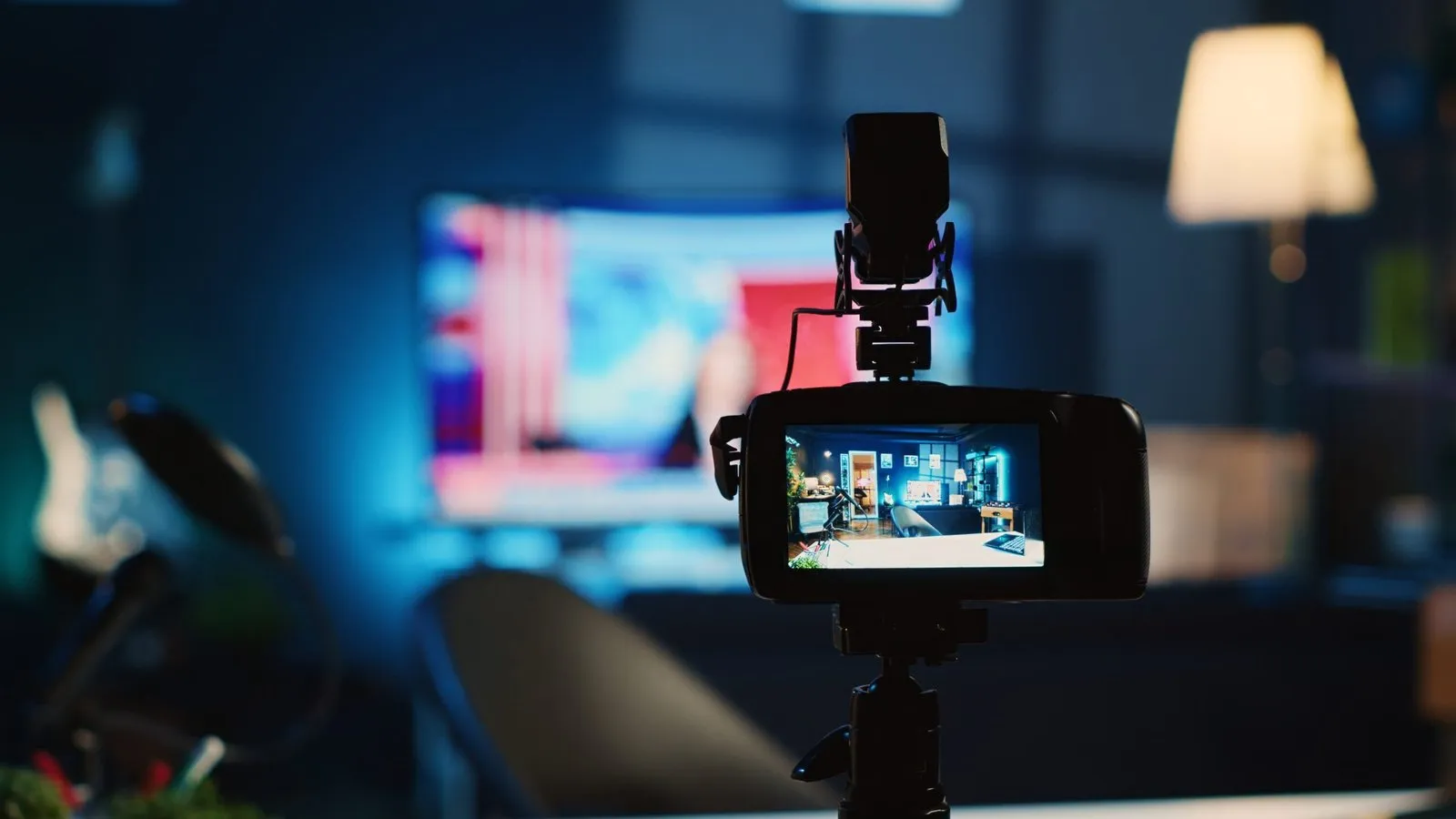
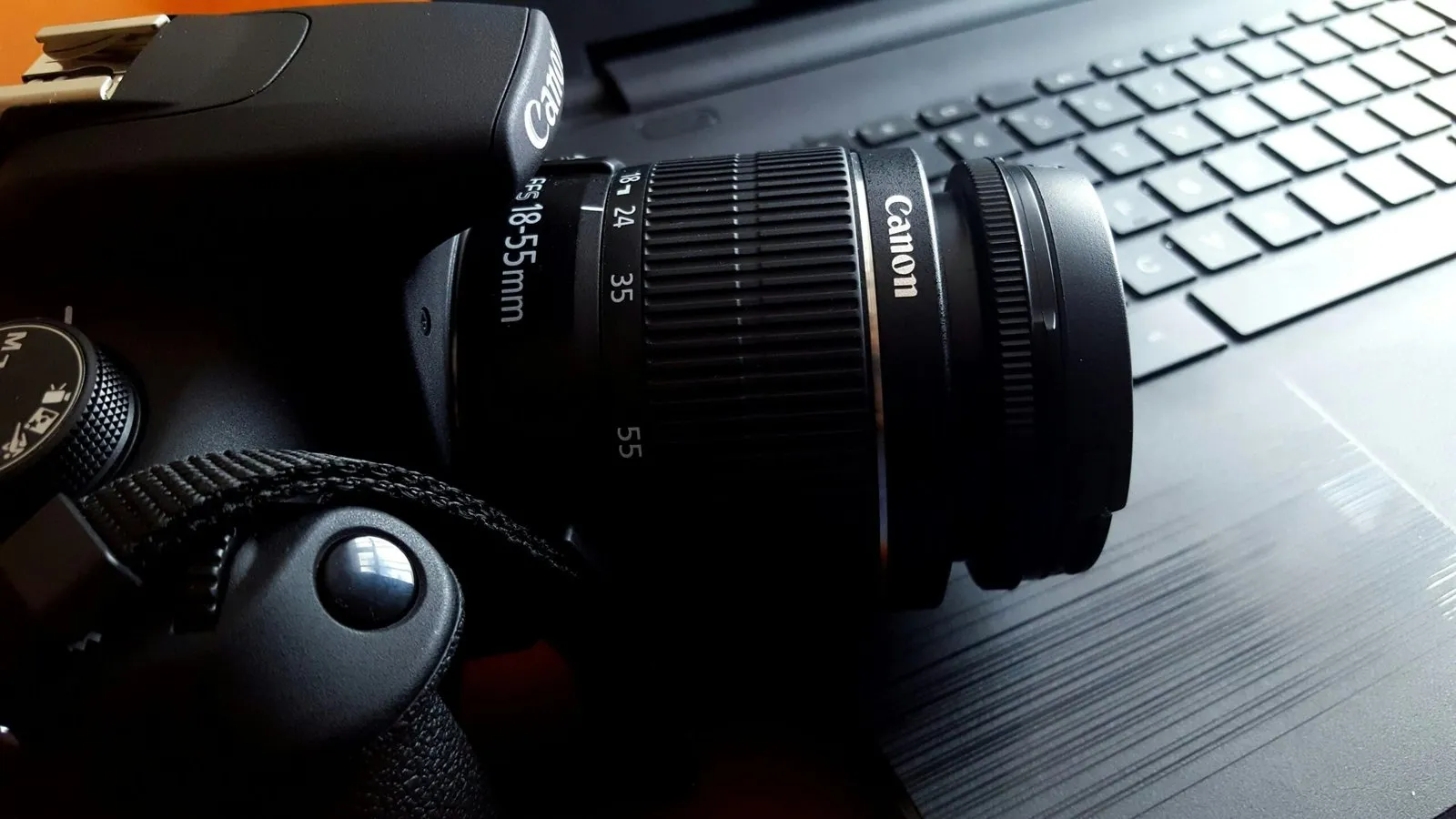
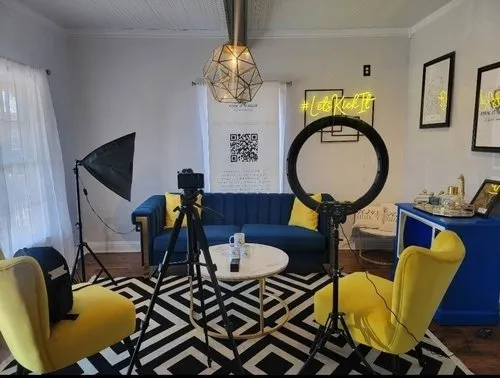
You do not need to spend all your money on high-end gear and complicated setups to produce high-quality videos. With a Simplified Video Setup, you can achieve impressive results without the hefty price tag for capturing moments for social media, or even for promoting an event and creating content for your business. Here’s how you can easily create professional-looking videos on a budget. How to Make High-Quality Videos Choosing the Right Camera You don’t need the latest, most expensive camera to get great video results. Modern smartphones already offer fantastic video quality. If you prefer a dedicated camera, entry-level DSLR or mirrorless cameras are affordable and perfect for beginners. Lighting Your Shots Proper lighting is one of the factors that make your video look professional. Natural light is always a good option, but if you’re indoors, then ring lights or LED panels will be the most budget-friendly and wonderful lighting options. Place your light source above and to the right or left of your camera for the best effect. Improving Audio Quality Good audio is just as important as good video. Using an external microphone—like a lapel (lav) mic or shotgun mic—can have a significant impact on sound quality. Even budget-friendly USB microphones are great for indoor recordings. Keep Your Footage Steady Shaky footage can make your videos hard to watch. A tripod or even a handheld stabilizer (gimbal) helps keep your shots smooth and steady, giving your video a slick, professional look. Simple Backgrounds Keep your background clean and free from distractions. A simple, solid-colored wall or an uncomplicated backdrop will keep the focus on you or your subject, rather than what’s behind you. Easy Video Editing Really bring a video to life through easy video editing. If you can even just make something that stands out, editing’s where you’d be. That is easily one of the least complicated, mostly free, free or at most very affordable with iMovie, Adobe Premiere Rush, etcetera, while still using fairly simple edits – trim, apply effects, alter color. Now your video stands out. Improve Your Marketing Through Simplified Video Setups Content Marketing for Social Media With a simplified video setup, social media content creation is fast and easy. No matter if it’s a short promo, product demo, or behind-the-scenes footage, keeping video quality consistent builds trust with your audience and keeps them interested. Event Promotion Videos Capture special moments from your events with ease. Whether you’re filming speeches, crowd reactions, or the overall vibe of your event, a simplified setup allows you to create impactful videos quickly. videography and photography services Business Video Content For small businesses, a simple video setup can make creating ads, tutorials, or product demos a breeze. Quality video helps you showcase your offerings and engage customers—without the need for an expensive production team. Practical Tips for Consistent Results Practice Regularly The more you use your gear, the better you’ll get. Experiment with different camera angles, lighting setups, and editing techniques to find what works best for you. Stay Organized Keep your equipment organized to save time and stress during shoots. Use storage solutions to keep your cables, batteries, and accessories tidy. Follow Trends Stay on top of video trends. This could include popular editing styles or platform-specific formats. It ensures that your content feels fresh and relevant. Engage with Your Audience Ask for feedback and encourage your viewers to interact with your content. Building a connection with your audience helps foster trust and loyalty. Common Mistakes to Avoid Neglecting Audio Poor audio quality can make even the best video seem unprofessional. Always check your microphone before recording and try to minimize background noise. Overcomplicating Your Setup Stick to the essentials. Focus on your content rather than getting bogged down by unnecessary equipment or settings. Skipping Post-Production Even tiny tweaks—such as removing awkward pauses or adjusting brightness—can make a huge difference in the final product. Simple Tools for Great Results Cameras: Your smartphone is a great tool, but the Canon EOS M50 is an affordable, dedicated option. Lighting: Ring lights and softbox kits give great results without breaking the bank. Audio: Brands like Rode and Blue offer affordable microphones that provide excellent sound. Editing Software: You can use free DaVinci Resolve, which is great for beginners, or paid Filmora if you’re looking for something more budget-friendly. The Perks of a Simple Video Setup A streamlined video production process makes it accessible to everyone—whether you’re a small business owner, event organizer, or simply someone who wants to share a personal message. With a simple setup, you can focus on creating content that connects with your audience, rather than stressing over complicated equipment or editing. Final Thoughts Producing professional-looking videos doesn’t require a complicated setup. With the right tools and techniques, you can create high-quality content that aligns with your goals, whether for Simplified Video Setup, Content Marketing for Social Media, or Event Promotion Videos. By focusing on simplicity and efficiency, you can concentrate on creativity and storytelling. This approach makes it easier for everyone, from small businesses to event organizers, to produce content that resonates with viewers. Whether you’re offering videography and photography services or creating content for personal use, simplicity leads to better, more engaging results. Lights, camera, action—take your content to the next level with ease! Let Kickin It Media help you craft stunning videos that captivate and engage your audience. Get started today and watch your creative vision come to life! FAQs 1. How do I stabilize my shots without a gimbal? Yeah, sure thing. A big difference you’ll see with something like this – it’s basically just a stabilizer without spending too much cash on it if you don’t have a gimbal. Just travel-friendly, a pretty lightweight and foldable one. 2. What makes for a good-looking professional background? Use a clean, clutter-free background to maintain focus on your subject. You can use neutral-colored walls or fabric for simple backdrops, ensuring a distraction-free setting. Avoid busy or messy environments and keep it polished. 3. What editing software should I use for beginners? For the

Read More

March 5, 2025

5 Reasons Business Training Videos Are a Game Changer

In today’s fast-moving world, keeping your team at the top of their game is more crucial than ever. One game-changing tool for achieving this is business training videos. These videos are not only easy to produce, but they also captivate employees’ attention and save companies valuable resources. Let’s get into how these videos are revolutionizing the way businesses train their teams. 1. Better Engagement and Retention Learning is so much simpler if done playfully. It is quite challenging on the part of employees to read lengthy manuals or thick slides during work hours. In contrast, training videos are more interactive, making use of visuals and narration to explain ideas or concepts. People remember information more accurately when they see it and hear it. For instance, a training video that demonstrates how to use Realtor social media solutions via examples will be learned easily and remembered. The more engaged the employees are, the better chances will be of them applying what they have learned. This leads to better performance and high job satisfaction. 2. Save Time and Money Traditional training is costly. You need to hire a trainer, a venue, and print materials. However, with training videos, none of that applies. Once you create a video, it can be used several times over with your employees, saving you money in the long term. Training videos are also a time-saver. Employees can watch them when it fits into their schedule, which doesn’t go against their usual other tasks. Affordable brand consulting saves small business owners money, letting them concentrate on marketing and service expansion. More importantly, small businesses can benefit with low-cost training without sacrificing quality. 3. Consistency Across the Board In-person training can lead to some inconsistencies. Different trainers might explain things differently, leaving gaps in understanding. With business training videos, you ensure every employee gets the same information, making training more reliable and streamlined. Consider a business offering lifestyle photography for brands. A video demonstrates setting up a perfect shot with the right lighting and editing techniques for team consistency. Consistent quality in work builds trust with clients who anticipate high-quality output consistently. 4. Flexibility and Accessibility Anytime, Anywhere Perhaps the best thing about business training videos is their accessibility. Employees can play training videos anywhere: home, office, or even while on the move. This means that everyone will be trained, no matter where they are. This is particularly useful for real estate teams. For instance, a video demonstrating how to create engaging content on social media can always be revisited. Whether it’s a new employee or someone refreshing the latest strategies, videos are easy and convenient. And each employee can go at their own pace, rewind or pause as needed. 5. Easy to Update Content Updates in fast-paced industries would be essential. Unlike the printed manual, business training videos can very quickly change to update new trends, tools, or best practices. For instance, a brand consulting firm may wish to add new branding strategies within its training. It can do this simply by updating its video series. In other words, a photography firm can update its video library by including new equipment or techniques. This way, training videos are a smart, long-term investment. How Training Videos Benefit Your Business While business training videos are great for employee development, they can also help support other areas of your business. It could actually be doing a job on teaching real estate agents how to use social media strategy to attract more clients through good online content. Similarly, offering brand consulting tips through training videos helps employees understand how to represent your business consistently and effectively. And for businesses focused on lifestyle photography, teaching employees how to capture high-quality images can improve marketing efforts and drive long-term success. How to Start Using Business Training Videos If you’re ready to introduce training videos into your business, here are a few simple steps: Select Relevant Topics: Begin with the areas where your team requires the most assistance, such as social media, branding, or customer service. Simplify it: Ensure that the language is clear and easy to understand by breaking complicated topics into small parts. Real-Life Examples: Engage your team with relatable scenarios while watching the videos. Track Progress: Use quizzes or discussions to ensure that your team does not forget what they learn. Starting small and gradually expanding, you can create a library of training videos that support your team’s growth. Final Thoughts Business training videos have become a game-changer for companies of all sizes. They’re not just practical—they’re engaging, affordable, and incredibly adaptable, making them a perfect fit for teams looking to grow their skills. Whether instructing on social media strategies, brand consulting techniques, or lifestyle photography tips, these videos align and inform all. Investing in video training isn’t just about skill-building; it’s about promoting growth and efficiency that leaves a lasting impact on your team and your business. Why not take the leap today and see how these tools can help you succeed? Level up your team’s skills with engaging training solutions from Kickin It Media—where creativity meets results! FAQs 1. What are business training videos? Business training videos are visual learning tools designed to train employees in various skills, processes, or industry-specific topics. They often include step-by-step instructions, examples, and demonstrations to make learning more engaging and effective. 2. Why are business training videos better than traditional training methods? Videos are more engaging and help employees retain information better compared to lengthy manuals or slides. They also save time and money, ensure consistency, and can be accessed anytime, making them more practical for modern workplaces. 3. How can business training videos save costs? Once created, training videos can be reused multiple times without additional expenses. They eliminate the need for trainers, venues, and printed materials, making them a cost-effective solution for businesses of all sizes. 4. Can training videos be customized for specific industries? Absolutely! Training videos can be personalized to meet the needs of any industry, whether it’s real estate, brand consulting, photography, or customer

Read More

March 5, 2025

Get 30% More Views with High-Quality Video Editing Services

Getting noticed in today’s digital world is hard to do. Whether you’re a business trying to push a product or an individual sharing a personal story, it has to stand out. One strong way to do that is through high-quality video content. But how do you actually make sure your videos are noticed? The answer is straightforward: Video Editing Services. How High-Quality Editing Increases Views It’s more than just a good idea or message for the content to be successful in videos. Presentation matters a lot. If you want people to stay on your video, then your video has to look attractive and be understandable. This is how video editing increases views: Integrating Social Media Consulting Services for Maximum Impact To really make the most of your video content, high-quality video editing merged with Social Media Consulting Services is savvy. Social media consultants can help guide you in the best way to promote your videos. A social media consultant can help with posting timing, caption optimization, and choosing engaging platforms for your content. By blending video editing with social media strategy advice, you can enhance your videos to attract the ideal audience efficiently. Using Visual Storytelling Techniques for Stronger Content Video editing isn’t merely about cutting footage and applying effects. It’s more than that, a story to be told. Techniques of Visual Storytelling are essential for holding the audience engaged through to the very end. Here’s the way editing can improve storytelling in your videos: Implementing these techniques in videos increases viewer engagement, leading to increased retention and views. Photography Services Complement Video Editing Video is powerful, but other visual content can also enhance your online presence. Photography services are important for enhancing videos. Quality photos serve as thumbnails for videos, blogs, or social media posts. Thumbnails are usually the first thing people see when they come across a video online, and a compelling thumbnail can significantly increase click-through rates. Additionally, photos can also be used in the video as cutaways or to emphasize important moments. A combination of stunning photos and professionally edited videos can create a powerful marketing strategy. It helps to ensure your content gets the attention it deserves. Video Editing Services and SEO: A Winning Combination One of the best ways to increase views for your videos is by making them search-friendly. Video SEO is vital for ranking videos higher in search engines, with editing playing a key role. Professional video editors optimize videos by using relevant keywords, meta tags, and descriptions for better discoverability. Optimizing your video improves visibility in search results, increasing views and engagement. Why Invest in Professional Video Editing Services? Perhaps you are asking why invest in Professional Video Editing Services instead of doing it yourself. Despite numerous self-editing tools available, they rarely achieve the precision needed for top-notch results. The professional editors possess a wide range of knowledge and experience that can catapult your video to the next level. Here’s the reason investing in professional editing is worth it: Tips for Choosing the Right Video Editing Services Not all editing houses are equal. You need to know how you are supposed to select the perfect service for your needs: Final Thoughts For anyone wanting to increase their video views up to 30%, video editing services are the next course of action. From looking visually appealing, enhancing video editing helps your message as well. Adding video editing with Social Media Consulting Services and Photography services with visual storytelling techniques increases its effectiveness, which translates into a larger audience as well as increased engagement. Professional video editing is a good way to make content that not only looks good but also delivers real results. Whether you are trying to promote a business, build a personal brand, or simply share your message, investing in top-tier video editing can make all the difference. Let your vision shine with Kickin It Media! Contact us today for top-notch Video Editing Services that captivate, engage, and deliver results. FAQs 1. Are Video Editing Services affordable for small businesses? Yes, many providers offer flexible packages to suit different budgets. Investing in these services can save time and increase the effectiveness of your marketing efforts, providing long-term value. 2. Can Video Editing Services include elements from Photography Services? Absolutely! Photography can complement video content by providing high-quality still images for thumbnails, cutaways, or promotional materials. Integrating both services creates cohesive and visually appealing content. 3. How do I choose the right Video Editing Services provider? Look for providers with a solid portfolio, positive reviews, and experience in your industry. Ask about their turnaround times, pricing, and ability to customize services to meet your needs. 4. Can Video Editing Services improve my video’s SEO? Yes, professional editors can optimize your videos by adding relevant keywords, titles, descriptions, and tags. This makes your content easier to find on platforms like YouTube or search engines, increasing its chances of being seen. 5. How do Video Editing Services integrate with Visual Storytelling Techniques? Editors use storytelling techniques like pacing, transitions, and emotional elements to craft a narrative that keeps viewers engaged. These techniques make your video more impactful and memorable.

Read More